
Skip to content

How do you record websites for your portfolio?

How designers and developers turn live websites into portfolio videos: what to capture, how long, which shape for each platform, and how to make a set of projects look consistent.

Aviral LakhanpaulUpdated 3 min read

The short answer

Capture each site as a short scroll video rather than a screenshot: 10 to 20 seconds, paused on the two or three sections that carry the work, in the shape of wherever it will be shown. Use the same frame, background and motion for every project so the portfolio reads as a set. A URL-to-video tool does this from the live link; a screen recorder works for sites that are no longer public.

Why a video beats a screenshot

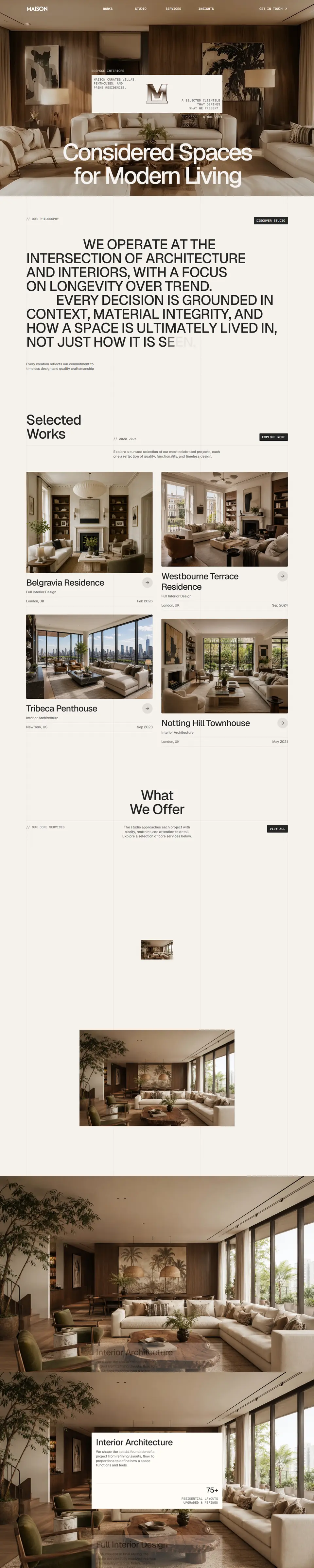
A full-page screenshot is either shrunk until nothing can be read or cropped to the hero, which leaves out most of what you made. A scroll video shows the page at a readable size and still gets to the footer, and it shows the things a still cannot: the rhythm between sections, sticky elements, hover states and, with the right engine, scroll animations.

What to capture

  • The live site, not the design file. Real content, real images, real type rendering. If the client has since changed it, use what is there or record your archived build.
  • The desktop page first, then the mobile one. Two videos side by side, desktop and phone, show responsive work better than any caption. Read the phone version at phone width so the site serves its real mobile layout.
  • Light and dark, if you designed both. Force the colour scheme rather than changing your system settings between takes.
  • The interactions you are proud of. Point a cursor at the cards and buttons whose hover states you designed, and they play in the video.

Length and pace

Somebody browsing a portfolio gives each project a few seconds before deciding whether to stay. Start moving straight away, or after a hold of a second or so on the hero, and keep the whole scroll between 10 and 20 seconds.

Pauses do more for a portfolio video than anything else. Stop for a second or two on each section that shows a decision: the hero, the feature grid, the pricing table. Up to 6 pauses fit in one video, each between 0.5 and 5 seconds. If the page is long, trim the scroll to end before the footer rather than speeding everything up.

The right shape for each place

Portfolio video shapes by destination
Where it goesShapeFormat
Your own portfolio site16:9 or 4:3 for desktop, 4:5 or 9:16 for the phone versionMP4, or WebM for smaller files
Dribbble, Behance, Peerlist4:3 or 16:9MP4
A case study page16:9, with the browser frame onMP4
LinkedIn or Instagram feed4:5 or 1:1MP4
A pitch email to a client16:9 or 1:1, shortGIF, which plays inline in most mail apps

Check each platform’s own upload limits before exporting at 4K: a 1080p file is usually the safer choice for anything that will be re-encoded on upload.

Make the set look like a set

Twelve projects captured twelve different ways look like twelve different people’s work. Decide the presentation once and repeat it.

  • One frame. A Safari or Chrome window, light or dark, or a plain border. The same one on every project.
  • One background. A solid colour, a gradient, one of the 36 presets, or your own image behind the window, softened with blur and grain if it is a photo.
  • One motion and one speed. Same easing, roughly the same seconds per screen of page.
  • Padding, corners and shadow set once, so the window sits the same way in every frame.

Putting it on your own site

A silent looping video behaves like an animated image and autoplays in every modern browser, as long as it is muted and allowed to play inline. Use Down and Back as the playback so the last frame matches the first and the loop has no jump.

HTML for a looping portfolio video
<video autoplay muted loop playsinline preload="metadata"
       poster="project-poster.jpg" width="1920" height="1080">
  <source src="project.webm" type="video/webm" />
  <source src="project.mp4" type="video/mp4" />
</video>

Width and height stop the layout jumping while the file loads, and the poster gives the slot something to show before the first frame arrives.

Try it on your own site

Paste a link and preview the scroll for free. 51 free credits when you sign up, no card, and no watermark on anything you export.

Recent searches

    Questions, answered

    The short versions of what people ask next.

    Contact
    Should a portfolio use video or screenshots?

    Both, for different jobs. A still makes a sharp thumbnail; a scroll video shows the whole page at a readable size, plus hover states and motion. Most designers lead with the video and keep a still as its poster.

    How do I record a client site that has since been changed or taken down?

    A URL tool can only capture what is live today. If you kept a copy of the build, host it at a temporary public address and record that, or record it locally with a screen recorder.

    Can I show the mobile version of a site in my portfolio?

    Yes. Read the page at phone width rather than shrinking a desktop capture, so the site serves its real mobile layout, and export at 9:16 or 4:5.

    Website Scroll Video logo, a play button over a web page in a browser window.

    Less Time Recording. More Time Building.

    Automate website recordings with customizable motion, smart controls, and export options designed for modern creators.