
Skip to content

How to make a website scroll video

Turn any website into a smooth scrolling video: paste the link, set the length, shape and motion, then export an MP4, WebM or GIF with no watermark.

Aviral LakhanpaulUpdated 4 min read

The short answer

Paste the page’s address into a URL-to-video tool such as Website Scroll Video, choose how long the scroll runs and the aspect ratio you need, preview it, then export. The page opens in a real browser on a server, cookie banners are cleared, and every frame of the scroll is calculated, so you get an even MP4, WebM or GIF without recording your screen.

Before you start

You need three things: a public address, an account to export with, and about five minutes.

  • A public URL. Anything that opens in a private browser window without a password. A staging link works if it is public, such as a Framer .framer.website address or a Webflow .webflow.io one. localhost and pages behind a login do not.
  • An account. Reading the page and previewing are free. Exporting costs credits, and every new account gets 51 of them once, with no card.
  • A rough idea of where it is going. A Reel, a portfolio, a client email. That decides the shape and the length, which are the only two settings you cannot fix afterwards without exporting again.

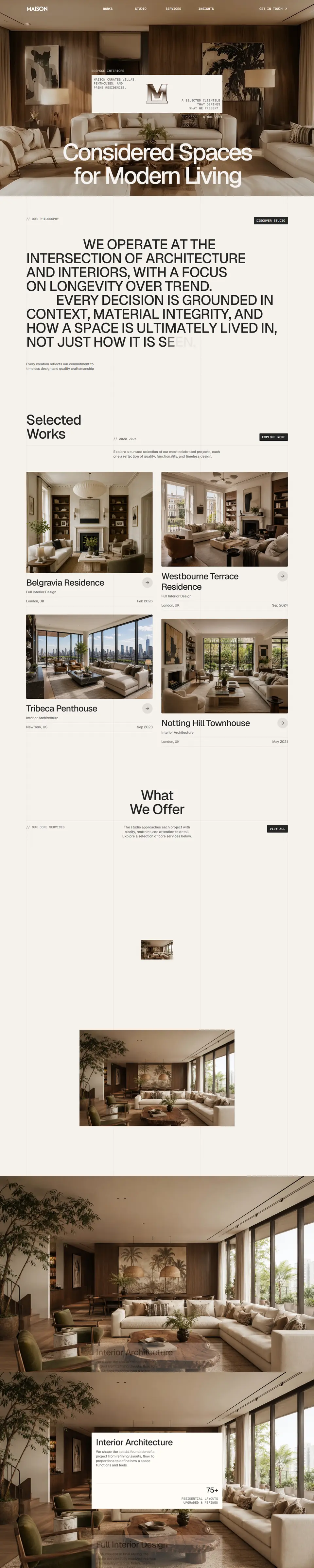
Make the video in six steps

  1. Paste the link

    Paste the address into the field on the home page and press Enter. We open the page in a real browser, wait for fonts and lazy-loaded images, and read it from top to bottom. Nothing is recorded off your screen.

  2. Pick the device and the shape

    Desktop reads the page at desktop width and gives you 16:9, 4:3 or 1:1. Tablet and Mobile read it at those widths, so the site serves its real responsive layout, and give you 9:16, 4:5 or 1:1. Working to a spec? Type an exact size instead.

  3. Set the length

    Duration runs from 2 to 90 seconds, and it also sets the scroll speed: the same page at six seconds is a teaser, at thirty it is a tour.

  4. Choose the motion

    Smooth eases in and out, Glide starts briskly and coasts to a stop, Linear holds one speed, and Pulse steps down the page a section at a time. Set Playback to Down and Back if the video should loop without a seam.

  5. Add holds, pauses and hovers

    Optional, and where most of the polish is. Hold still for up to 10 seconds at the start or end, stop on up to 6 sections, and point a cursor at buttons and cards so their hover effects play.

  6. Preview, then export

    The preview plays in your browser and costs nothing, however often you replay it. When it looks right, export an MP4, WebM or GIF. The exact credit cost is on the Export button before you press it.

The settings that matter

Most of the editor has a sensible default. These are the ones worth a second look.

Recommended settings for a website scroll video
SettingStart withChange it when
DurationAbout two seconds for every screen of pageIt is a teaser (go shorter) or people need to read the copy (go longer, or add pauses)
Frame rate60 fpsFile size matters more than smoothness. 30 fps halves the frames. GIF caps at 24
Resolution1080pIt will be shown on a large display or cropped later (1440p or 4K), or it is a quick draft (720p)
MotionSmoothIt is a background loop (Linear) or a product tour that should land on each section (Pulse)
FormatMP4You need transparency or smaller files (WebM) or it must play inline in an email (GIF)
EngineStatic PanThe page has scroll-triggered reveals or parallax you want to keep (Live Capture)

If the page is long and only the top half sells, drag the trim handles under the preview to set where the scroll starts and stops. A shorter scroll at the same duration is a slower, more readable one.

What it costs

Length costs one credit for every 2 seconds of finished video, and a few settings add a fixed amount on top: higher resolutions, higher frame rates, Live Capture, tablet or phone width, pauses and hovers. A 10-second export at 1080p and 60 fps, read at desktop width, costs 21 credits, so the 51 you get at signup covers it twice.

After that, credits come in packs ($5 for 100, $12 for 400 and $19 for 900) and never expire. There is no subscription and no watermark on any of them. How credits work has the full table.

If something looks wrong

  • A reveal animation is missing or a section looks blank. The fast engine pans a still image of the page, so scroll-triggered effects do not play. Switch the engine to Live Capture, or turn on Settle Animations to run them to their finished state. See capturing scroll animations.
  • A cookie banner or chat bubble got through. Leave Dismiss Cookie Banners and Popups on, and add anything it missed under Hide elements as a CSS selector. More in removing pop-ups from a recording.
  • The page shows a login screen or an error. It has to be public. We cannot sign in for you, and some sites refuse automated browsers outright.
  • The mobile video looks like a squeezed desktop page. Pick Mobile as the device rather than a tall aspect ratio on Desktop, so the site serves its phone layout. See recording the mobile version.

Try it on your own site

Paste a link and preview the scroll for free. 51 free credits when you sign up, no card, and no watermark on anything you export.

Recent searches

    Questions, answered

    The short versions of what people ask next.

    Contact
    Can I make a website scroll video for free?

    Yes. Every new account gets 51 free credits once, with no card, which is enough for a couple of short 1080p exports. Previews never cost anything, and no video is watermarked, whichever credits paid for it.

    Do I need to install anything?

    No. There is no app and no browser extension. The page is opened and captured on our servers, so it works the same from a laptop, a tablet or a phone.

    Can I make a scroll video of a site that is not live yet?

    Only if it has a public address. Publish it to a preview or staging URL that opens without a password, then paste that. Local addresses and private networks cannot be reached.

    How long should a website scroll video be?

    Between 2 and 90 seconds is possible. For most landing pages, eight to fifteen seconds reads well; social teasers work at six to ten, and a full portfolio walkthrough can run to thirty with a few pauses.

    Website Scroll Video logo, a play button over a web page in a browser window.

    Less Time Recording. More Time Building.

    Automate website recordings with customizable motion, smart controls, and export options designed for modern creators.