Motion styles with character
Linear, Glide, Smooth or Pulse. Pick how the page moves and the whole video changes its mood.
Paste a link and our scroll video generator records the page for you, with cookie banners gone.
From URL to polished scroll video in just three simple steps.
Any live site. We open it in a real browser and read the whole page, top to bottom.
Pick the aspect ratio, the browser frame and exactly where the scroll starts and stops.
MP4, WebM or GIF. No watermark.
The motion, the pacing and the polish that used to take an afternoon in an editor. Now a few clicks.
Linear, Glide, Smooth or Pulse. Pick how the page moves and the whole video changes its mood.
Consent bars, newsletter modals and chat bubbles are cleared before recording. Nothing to crop out later.
Hold on the sections that sell, so viewers read the headline before the next one arrives.
Set your site on a colour, a gradient or your own photo, then soften it with blur and film grain.
Set the runtime and the scroll speed follows. Six seconds for a teaser, thirty for the full tour.
Point at buttons and cards mid-scroll and their hover effects play, just like a real visitor.
Want to see what each feature costs? See feature credit breakdown
See how our creator-focused features deliver more control, smoother recordings, and better results.
| Feature |  Website Scroll Video Website Scroll Video | Folge | HowdyGo |
|---|---|---|---|
| Output formats | MP4, WebM, GIF | WebM only | MP4, WebM, GIF |
| Resolution | Up to 4K | Fixed | Not offered |
| Custom output sizeOnly in Website Scroll Video | Any size up to 4096px | No | No |
| Frame rate | 24 / 30 / 60fps | Fixed 24fps | Not offered |
| Aspect ratios | 16:9, 4:3, 1:1, 9:16, 4:5 | 16:9, 1:1, 9:16 | 3 options |
| Desktop, tablet and phone captureOnly in Website Scroll Video | Desktop, Tablet, Mobile | No | No |
| Scroll motionOnly in Website Scroll Video | Linear, Glide, Smooth, Pulse | No | No |
| Video duration controlOnly in Website Scroll Video | 2–90s | No | No |
| Mid-scroll pausesOnly in Website Scroll Video | Up to 6 | No | No |
| Cursor with hover effectsOnly in Website Scroll Video | Yes | No | No |
| Start and end holdOnly in Website Scroll Video | Up to 10s each | No | No |
| Ping-pong loopOnly in Website Scroll Video | Yes | No | No |
| Choose scroll rangeOnly in Website Scroll Video | Yes | No | No |
| Cookie banner removalOnly in Website Scroll Video | Yes | No | No |
| Block trackers and adsOnly in Website Scroll Video | Yes | No | No |
| Record scroll animations liveOnly in Website Scroll Video | Yes | No | No |
| Force light or dark modeOnly in Website Scroll Video | Yes | No | No |
| Hide any element before captureOnly in Website Scroll Video | Yes | No | No |
| Freeze page animationsOnly in Website Scroll Video | Yes | No | No |
| Background presetsOnly in Website Scroll Video | 36 presets | No | No |
| Your own background imageOnly in Website Scroll Video | Yes | No | No |
| Background blur and film grainOnly in Website Scroll Video | Yes | No | No |
| Device framesOnly in Website Scroll Video | Browser, light or dark | No | No |
| Frame padding and cornersOnly in Website Scroll Video | Yes | No | No |
| Window shadowOnly in Website Scroll Video | Yes | No | No |
| Transparent backgroundOnly in Website Scroll Video | Yes | No | No |
| Preview before renderingOnly in Website Scroll Video | Yes | No | No |
Designers, founders and studios on trading the screen recorder for one pasted link.
This web app makes creating high quality, visually stunning videos of your website simple and easy. It took me five minutes to create an account, find my website and download mp4 video of my website. Absolutely love it!
 Ethan Ferrier
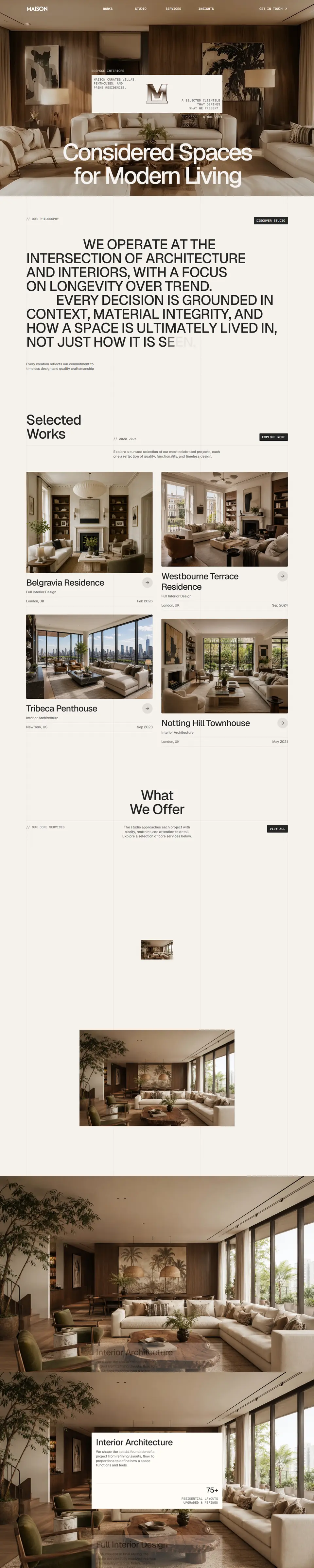
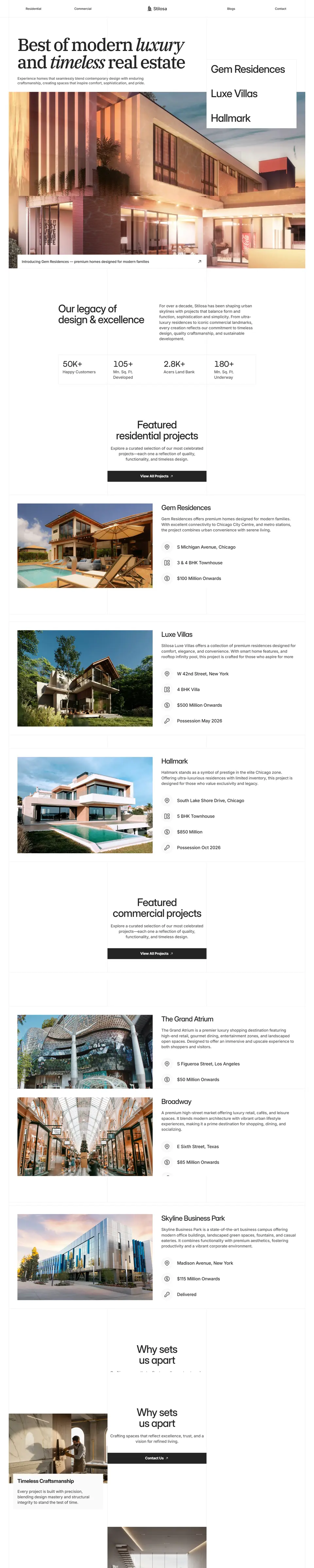
Section pauses are the key detail here; they give each block of the template a beat to register instead of the scroll video blurring into one long pan.
 Akbarali Khasanov
Manual screen recording takes forever, so automated scroll videos are a game changer! Great find for speeding up marketplace launch assets.
 WORKSHOP99
Super straightforward to use. The smooth automatic scrolling alone saved me from having to manually record and trim screen captures in a video editor.
 Hien Nguyen Trong
The url to scroll video idea is clever, that'd be handy for landing page previews. Bookmarking it.
 Sal
SalAuto-removing cookie banners and modals is the detail that makes this usable, that's what always ruins manual screen recordings. pay-as-you-go credits instead of a subscription is a nice call for something people use in bursts.
 Sam Vale
It's so easy to use that it can be difficult to make mistakes.
 Linnet Qi
No subscriptions. No feature locks. Buy credits only when you need them
Credits never expireNo monthly resetNo recurring charge
Start for free!
Get 51 credits for free when you sign up
Perfect for occasional website showcases
$5One-time
100 credits
$0.05 per credit
For creators who make showcases regularly
$12One-time
Use code: WSV20 to get flat 20% off
350 credits
+50 for free
$0.03 per credit40% less per credit
Best value for frequent creation
$19One-time
Use code: WSV20 to get flat 20% off
800 credits
+100 for free
$0.02 per credit60% less per credit
Learn more about features, exports, supported websites, and everything in between.
ContactPaste the page address into our website scroll video generator, set how long the scroll should run and which shape you need, then export. There is nothing to install and no extension: we open the page in a real browser on our side and hand back an MP4, WebM or GIF with no watermark. The page is read once and kept for a while afterwards, so changing a setting and exporting again re-renders from what we already have rather than crawling the site a second time.
Set the loop to Down and Back. The scroll runs to the bottom and then returns to the top along the same curve, so the last frame matches the first and the video loops with no visible seam, which is what you want for a hero background or a social post that replays. Leave it on Scroll Down for a single pass down the page.
Up to 4K, never watermarked, and available on every account from your first export. 720p, 1080p, 1440p and 4K are all just settings, and the higher ones cost more credits rather than a different plan. The page is read at double density, so what gets captured is a retina screenshot rather than a small one stretched up, and text stays sharp at every size. MP4 is encoded as H.264 and WebM as VP9. There is no quality slider on purpose: every export already uses the setting that lands within a hair of the slowest one at half the wait.
9:16 for Reels, TikTok, Shorts and stories. 4:5 for a feed post on Instagram or LinkedIn. It is the tallest shape the feed will show without cropping, so it takes the most room on a phone. 1:1 is the safe square when you do not know where it will end up, and 16:9 suits YouTube, a landing page hero or an email. The shape follows the device: a page read at desktop width gives you 16:9, 4:3 and 1:1, and the portrait ratios arrive with tablet and phone capture. You can also type an exact pixel size if you are working to a spec.
Yes. Pick the device at the top of the video settings (desktop, tablet or phone) and your page is read at that width, so the site answers with the layout it actually serves there rather than a desktop page squeezed narrower. Tablet and phone cost three credits more than desktop, and nothing else about them is different. The aspect ratio still sets the shape of the window it is read through, so the two work together: a phone at 9:16 is the mobile layout, full frame. Nothing is ever shrunk to fit a shape it was not laid out for.
Switch the engine to Live capture under Advanced. It screenshots the page at every scroll position rather than panning a flat image, so reveal, fade-in and parallax effects play in the video exactly as a visitor would see them. It holds a real browser for the length of the video, which is why it is considerably slower than the fast pan and why it adds thirteen credits to an export. There is no monthly allowance and nothing to unlock. Use it whenever you have the credits for it.
No. Website Scroll Video is pay-as-you-go. You get 51 free credits when you sign up, then buy more whenever you need them. There are no plans, no monthly charge and no commitment.
Rendering videos. What an export costs depends on the settings you choose: how long the finished video is, what resolution and frame rate, whether it uses Live Capture, and how many pauses and hover interactions are in it. Every feature is available from the start, so credits decide how much you make rather than what you are allowed to make.
Only when you start an export. Editing settings and previewing your video cost nothing, however many times you do it, so you can try things freely and only spend when you have something you want to keep. The amount taken is exactly the number shown beside the Export button before you press it.
No. Credits never expire and nothing resets monthly. Use them today, next month, or whenever your next site is ready. They are also non-refundable, which is the other half of the same deal: there is no rush to spend them and no way to hand them back.
Your credits come back automatically. They are reserved when the render starts and only actually spent when a video comes out the other end, so a failure, a timeout or an export you cancel all return the full amount. You are never charged for a video you did not receive.
No. We recognise the major consent platforms by name and catch unknown ones with a heuristic that looks for pinned, high-stacked elements with consent wording. We also remove chat launchers, newsletter modals and leftover backdrops, and unlock the page scroll that modals often leave behind.
Anything behind a login, on a private network, or actively blocking automated browsers. Pages that require interaction before they show content will capture whatever a first-time visitor sees.
Discover Website Scroll Video across the platforms where creators discover, build, and share.





















Automate website recordings with customizable motion, smart controls, and export options designed for modern creators.